Buy your DJ playlists
in minutes
Drop a playlist file or paste your tracks — Muvic finds them on Beatport and Bandcamp and tracks every purchase in one library. Own the music you love, and always know what you own.
macOS 12+ · No account required to try · Intel Mac build · Already have an account?
How it works
Three steps to owning your music
Bring your playlists
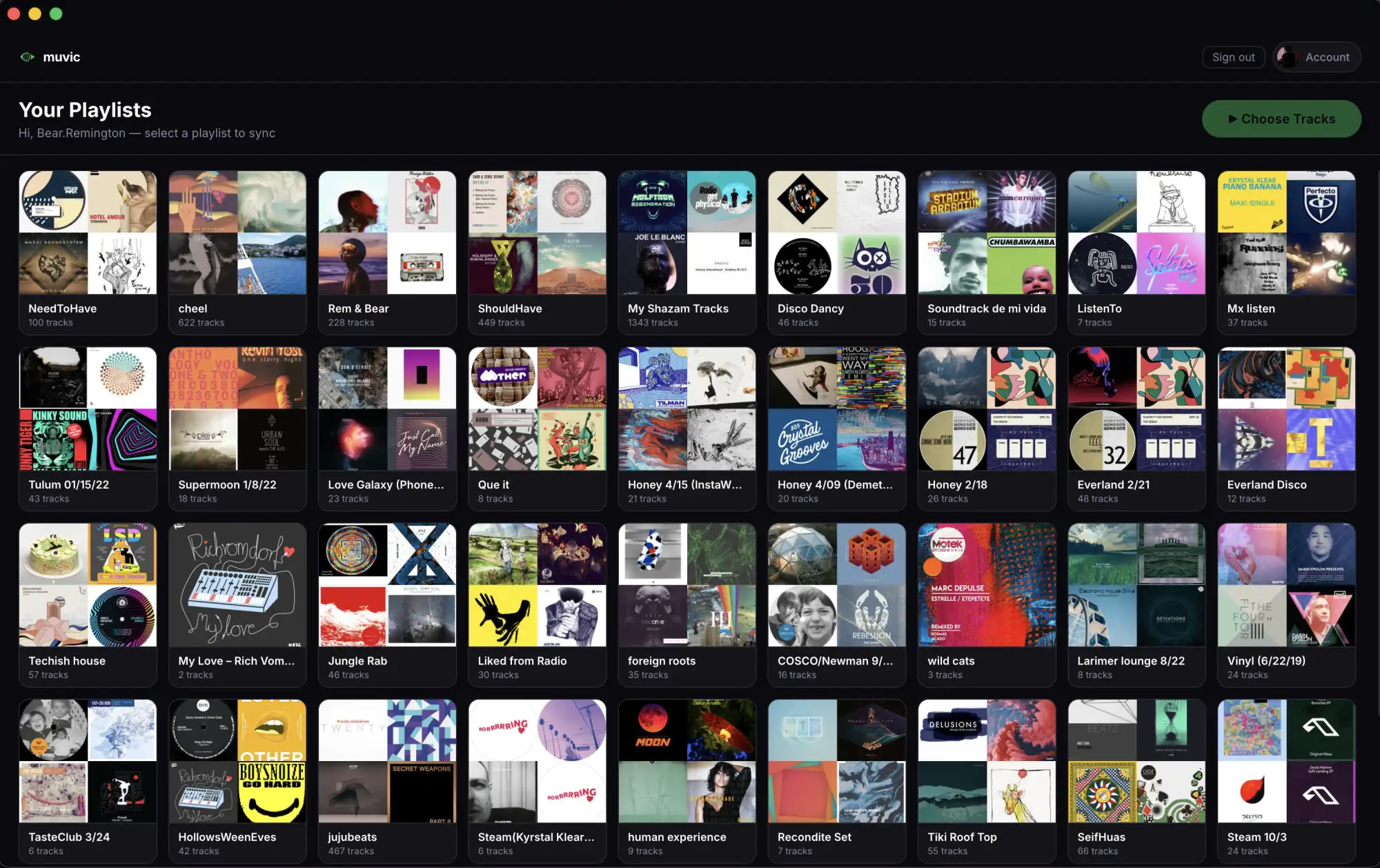
Drop a .m3u, .m3u8, or .csv from rekordbox / Serato / Music.app, or copy your tracks straight from Spotify desktop and paste them in. Direct Spotify and Tidal connections are coming soon.
Pick the tracks
Choose every track or just a few. Muvic shows duplicate detection against your iTunes library and prior syncs so you don't buy what you already own.
Sync to Beatport or Bandcamp
Muvic searches and adds each track to your cart automatically. You review and pay on the platform.
Why Muvic
Built for DJs who take ownership seriously
Save hours every week
Searching for 50 tracks manually takes 2-3 hours. Muvic does it in minutes.
One library, across platforms
Beatport and Bandcamp purchases in one searchable collection. Track what you own, what you've spent, and what's still on your to-buy list.
Support artists on Bandcamp
Bandcamp pays artists more than any other platform. Muvic falls back to Beatport automatically when a track is missing.
Own your music
Downloads live on your hard drive. No subscription, no streaming — play anywhere, offline, forever.
Your credentials are encrypted
Beatport and Bandcamp credentials are encrypted with your OS keychain and used only to perform the actions you initiate.
Where to use Muvic
Sync from Mac or from any browser
Both surfaces can sync to Beatport and Bandcamp. The Mac app integrates with macOS for Music.app duplicate detection, drag-drop, and native notifications. The web app works from any browser with the Muvic Sync Helper extension. Pick whichever fits your workflow.
Muvic for Mac
macOS 12+ · Free download
- 🔄Full sync workflow on macOSDrop a .m3u, paste a list, or right-click a playlist file and "Open with Muvic". The Mac app searches and fills your Beatport and Bandcamp carts. Direct Spotify and Tidal connections are coming soon.
- 🪞iTunes / Music.app duplicate detectionMuvic reads your local Music.app library and skips tracks you already own, so you don't double-buy. Mac-only.
- 🔔Native notifications and drag-dropSync-complete notifications, drag .m3u files in from Finder, "Open with Muvic" on .m3u8 / .csv right-click.
- ⚡Touch ID and offline libraryBiometric sign-in. Library, history, and duplicate detection read from a local SQLite database for a fast, offline-capable browse.
- 🔒macOS Keychain for credentialsYour Beatport and Bandcamp credentials live in the macOS Keychain on your Mac, and are encrypted in transit when the sync service signs in on your behalf.
Muvic on the web
Any browser, any device
- 🔄Sync from any browserInstall the Muvic Sync Helper extension once. Paste your tracks at muvic.app/sync and the sync service fills your Beatport and Bandcamp carts using your signed-in browser session.
- 📚Browse your library anywhereYour full collection of Beatport and Bandcamp tracks, with artist, album, sync date, and price, readable from any browser.
- 💸Spend totals across platformsPer-platform spend, monthly totals, and a confirmed-purchase count, derived server-side from your sync history.
- ⚙️Manage your accountChange display name and password, view subscription tier, jump out to Lemon Squeezy for billing, delete account.
How Muvic compares
Faster than searching, smarter than a spreadsheet
| Feature | Muvic | Beatport direct | Manual workflow |
|---|---|---|---|
| Source your tracks | Drop a .m3u/.csv, paste a list (Spotify + Tidal coming soon) | Search one track at a time | You type each artist + title |
| Add many tracks at once | Entire playlist in one click | One-by-one | One-by-one |
| Bandcamp + Beatport in one | Yes (Pro) | Beatport only | Two browsers, two carts |
| Library across platforms | Collection + spend totals + export | Beatport only | A spreadsheet, hopefully |
| Duplicate detection | Skips tracks already in iTunes / prior syncs | No | Manual |
Comparison reflects Muvic + each provider's public functionality as of 2026.
Pricing
Simple, honest pricing
Start free. Upgrade when you need more.
- ✓Unlimited Beatport + Bandcamp syncs
- ✓Platform fallback — try the other platform when a track is missing
- ✓Library: collection, spend tracking, still-to-buy, CSV / JSON export
- ✓Duplicate detection — skip tracks already synced or already in your iTunes library
- ✓Full sync history with per-track purchase confirmation
- ✓Save unfound tracks to a Spotify playlist
- ✓Cancel any time
- ✓Everything in Pro Monthly
- ✓Unlimited Beatport + Bandcamp syncs
- ✓Platform fallback — try the other platform when a track is missing
- ✓Library: collection, spend tracking, still-to-buy, CSV / JSON export
- ✓Duplicate detection — skip tracks already synced or already in your iTunes library
- ✓Full sync history with per-track purchase confirmation
- ✓Save unfound tracks to a Spotify playlist
FAQ
Common questions
Do I need a Spotify or Tidal account?
.m3u, .m3u8, or .csv files (rekordbox, Serato, Music.app, Engine DJ all export these), or by pasting a list of "Artist - Track" lines. Direct Spotify and Tidal connections are coming soon — until they're generally available, paste-from-Spotify-desktop (⌘A → ⌘C inside any playlist) is the fastest path for Spotify users.Where do my playlists end up?
What if Muvic can't find a track?
How does the Library work?
Is my data private?
- Beatport / Bandcamp / Spotify / Tidal credentials stay on your Mac, encrypted via the macOS Keychain. Muvic never sees them in plaintext.
- Your Muvic account password is bcrypt-hashed and stored on our server (so you can sign in from the web too). We never see the plaintext.
- Sync history (tracks, prices, dates) is stored server-side under your account so the Library page can render on any device. A local copy is mirrored to your Mac for offline browsing.
- We don't sell data and we don't use third-party analytics.
Can I cancel anytime?
Ready to own your music?
Free to download. No credit card required.
Download for Mac — FreemacOS 12 Monterey or later