Turn a Spotify playlist into a Beatport cart
You found the tracks on Spotify. Now you want to own them, as files on your drive that play in a basement with no signal.
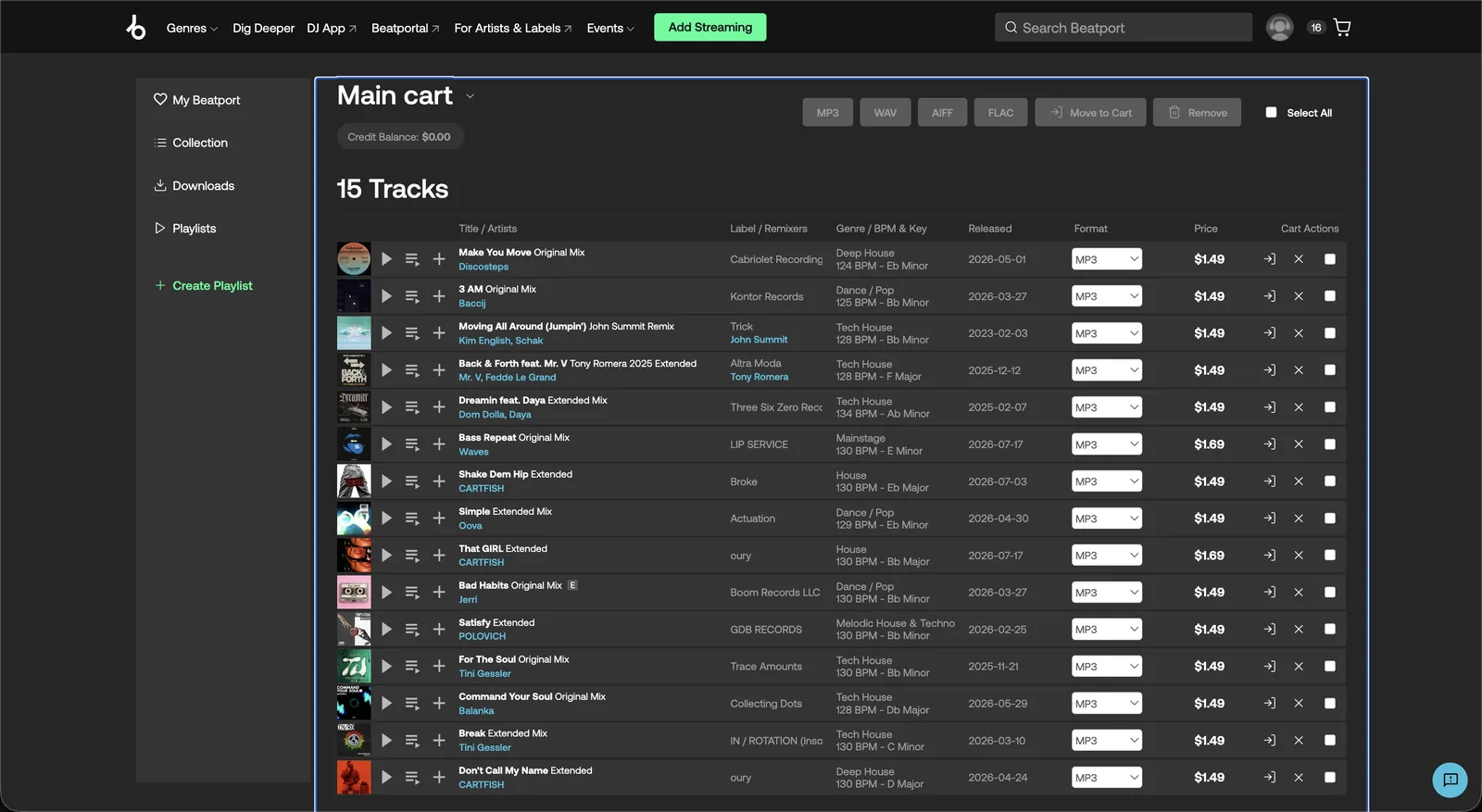
Muvic reads the playlist, searches Beatport for every track, picks the right mix, and adds each match to your cart. You review the cart and check out on Beatport yourself. Entire playlists. One click.
How it works
Copy the playlist link
In Spotify, open the playlist, choose Share, then Copy link to playlist. Connecting your Spotify account is optional. A pasted link works, and so does a list of tracks or a playlist file from rekordbox, Serato, or Music.app.
Paste it into Muvic
Keep every track or pick the ones you want. On Pro, Muvic also skips tracks you already own in your Music.app library or bought through an earlier sync.
Click Sync
Muvic searches Beatport for each track, takes the extended mix if you turn that on, and adds the match to your cart at a human pace. Anything it is not confident about is flagged rather than guessed.
Review the cart and check out
Muvic never completes a purchase and never sees your card. Remove anything you do not want and pay on Beatport as you normally would.
Why a playlist transfer tool is not the same thing
Most tools that come up for this search copy your Spotify playlist into a playlist on your Beatport account. Tune My Music works this way. That is useful if you stream through Beatport, but it does not put a single track in your cart.
DJ.Studio can turn a Spotify playlist into a mix, and it needs a paid Beatport Streaming plan to do it. Again the tracks are streamed, not bought.
Muvic does the other job. It gets the tracks into your cart so you can buy the files, keep them, and play them anywhere.
When Beatport does not have a track
Spotify carries plenty that Beatport never will, like self released edits, bootlegs, and older catalogue. Muvic flags every miss and never swaps in a lookalike.
On Pro, each miss is retried on Bandcamp and added to your wishlist there. Whatever is left can be saved as a playlist inside Muvic to come back to.
How to do it without Muvic
- Open the Spotify playlist and Beatport side by side.
- Search Beatport for each track by artist and title. If the Spotify title names a remixer, add that name too, because Beatport lists most tracks in several mixes.
- Check the mix name before you add anything. Spotify often lists the radio edit, and most DJs want the extended mix.
- Add the track to your cart, then move on to the next one.
- Note every track Beatport does not carry and search Bandcamp for those afterwards.
- Before checking out, compare the cart against what you already own so you do not buy a track twice.
It works, and it is exactly the part of gig prep Muvic was built to take off your plate. Muvic vs buying by hand.
Common questions
Does Muvic buy the tracks for me?
Do I need a Spotify account?
Is it free?
Will it pick the right version of a track?
Could this get my Beatport account restricted?
Does it work on Windows?
Free for 25 tracks a month on Beatport. See pricing, the full feature list, or the FAQ.
Details about other tools come from their public sites and were checked in October 2026. Products change, so if something here is out of date, tell us and we will correct it. Muvic is not affiliated with Spotify, Beatport, or Bandcamp.